


Flexible payment collection
Bring card and contactless payment methods together in one device.
A POS solution with a printer that supports electronic payment methods including magnetic stripe, chip cards, NFC and QR codes.
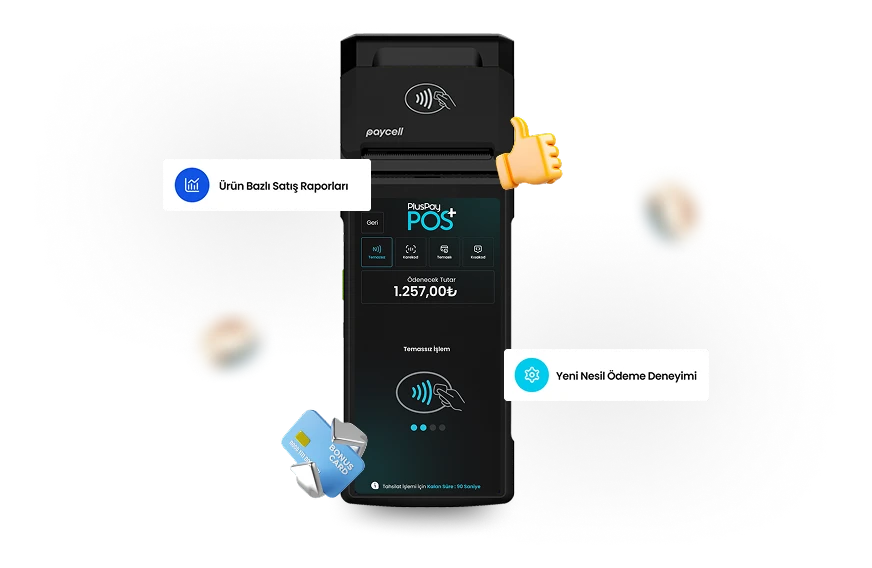
Design and hardware that simplify your daily workflow, in one device.

Bring card and contactless payment methods together in one device.
Easily print documents after each transaction with the integrated thermal printer.
Complete sales and payment steps quickly with the touchscreen interface.
From the counter to table service, plan your payment experience around the way your business works. Consider device, app and connectivity options together.
Explore industry solutionsA setup that simplifies product selection and payment collection at the point of sale.
A payment flow that fits your checkout and service setup and keeps customers moving.
Portable models with suitable connectivity options for use on-site or in the field.
Paycell POS hardware: explore the standard features and compare optional configurations.
Your journey with Paycell POS, from application to everyday use.
Tell us about your business, the number of devices you need and how you plan to use them.
Clarify software compatibility, connections and required peripherals with our team.
After installation, check the basic functions and connections to integrate your device into your workflow.
Contact our team for information on commission rates, settlement periods, and service terms.
Let’s discuss the details Let's grow your business together.
Discuss product selection, installation and application options for Paycell POS with our team.